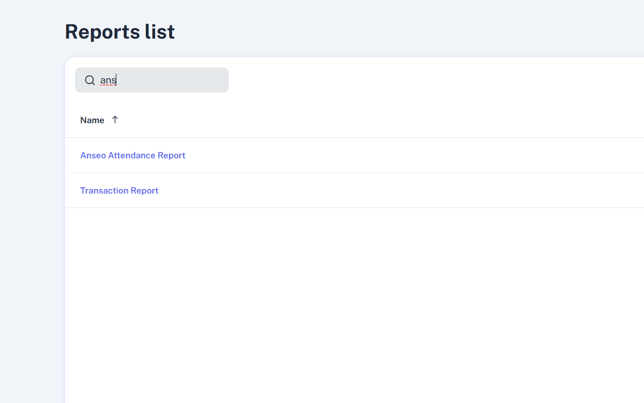
- In the left-hand menu, select Reports, and Anseo Attendance Report.
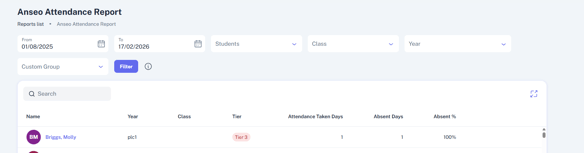
- From here, you can filter the report in several different ways using the filters above the report:
- By time period (to and from)
- By individual student
- By individual class groups
- By individual year groups
- By custom group
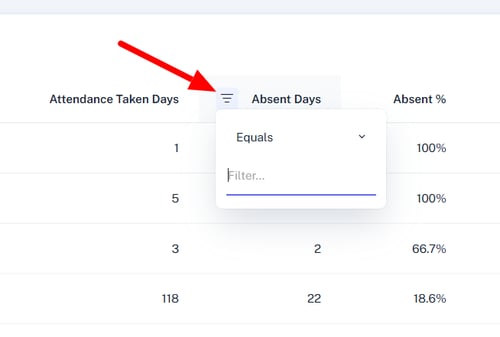
You can also filter the report using the column filters beside the headings. Here you can add and remove column, and filter as needed: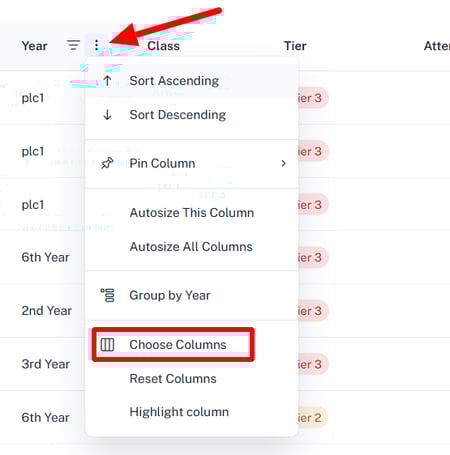
- There is a tally in the bottom right-hand corner for the % of students at each different Tier.

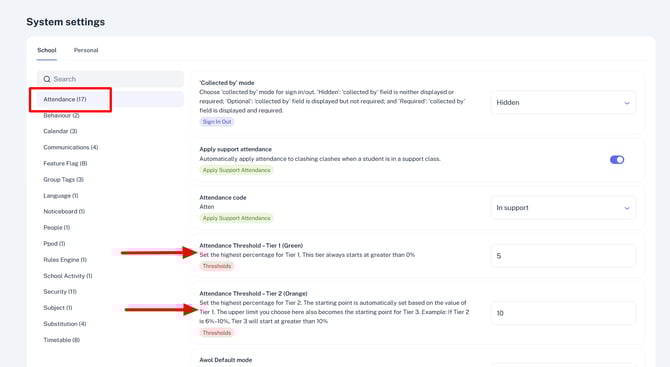
- Tiers can be set and edited through Settings > System.
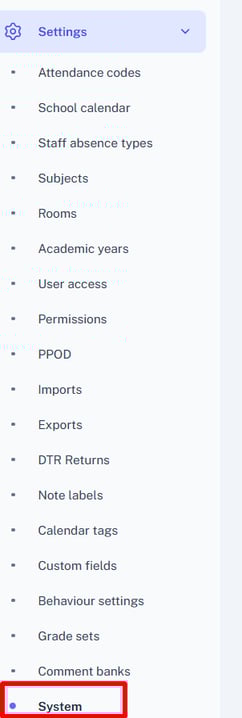
- Under Attendance in Settings > System, you can configure the lower and medium threshold bands.
- The Attendance Taken Days count is to indicate whether there are days where attendance was not complete for students.
You can compare the Attendance Taken Days figure to the total number of school days in the year so far.
English
![tyro-logo-dark.png]](https://support.tyro.school/hs-fs/hubfs/tyro-logo-dark.png?height=40&name=tyro-logo-dark.png)