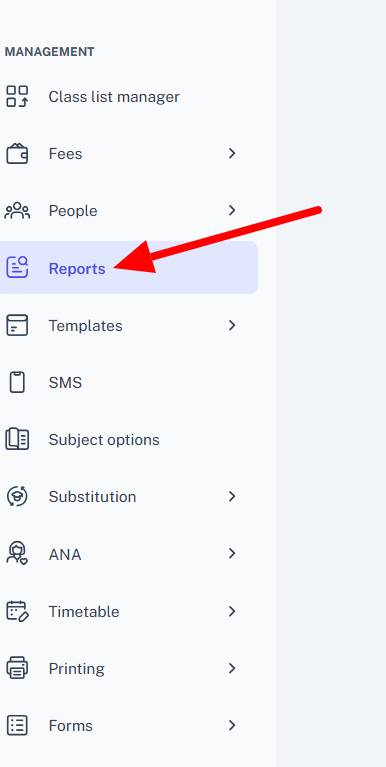
- In the left-hand menu, select Reports.
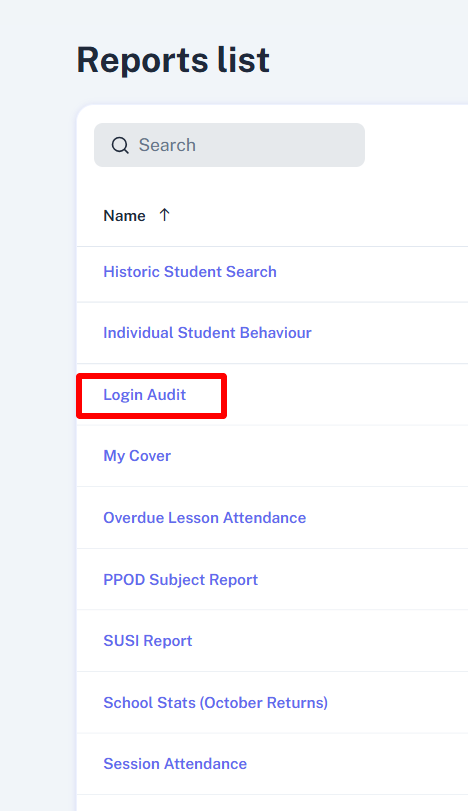
- Select Login Audit.
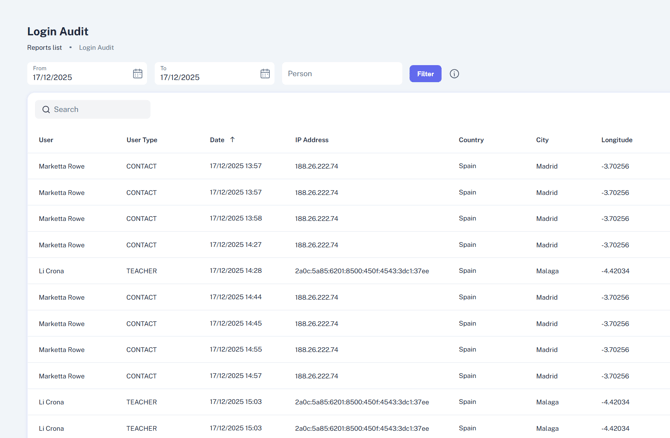
- The report will open defaulting to the current date. You can extend this using the From and To filters at the top.
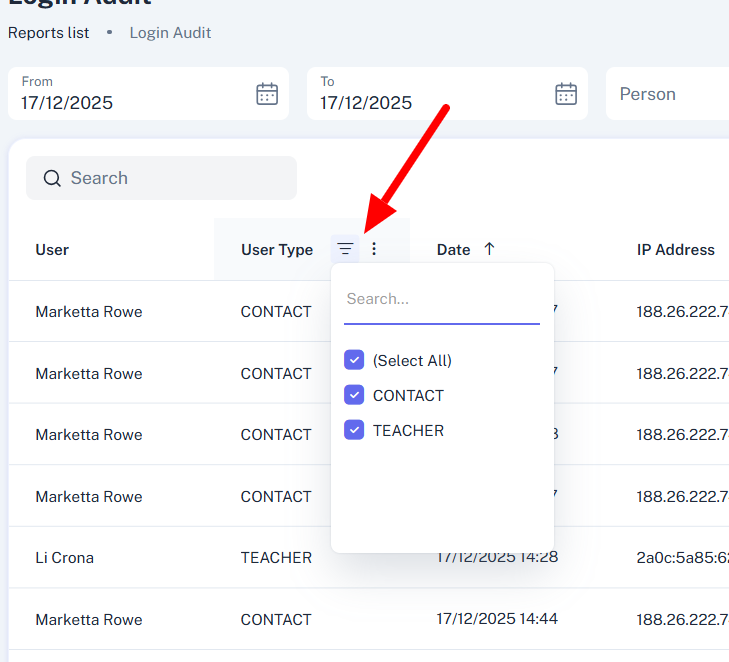
- You can filter this report by Contact and Teacher, by selecting the filter icon at the top of the User Type column.
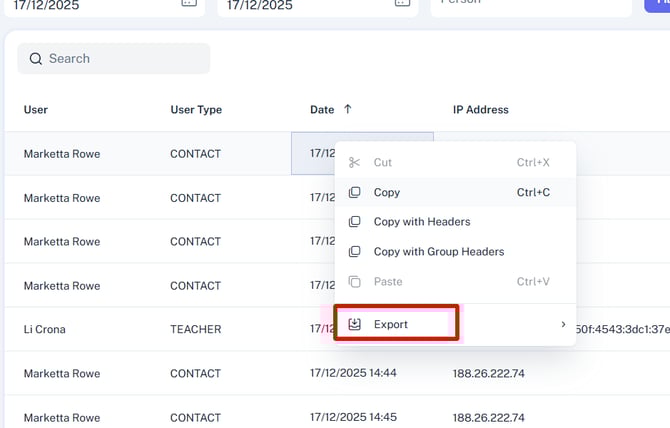
You can also sort by date, and search for a particular user by entering their name under Person. - To export the report, right-click anywhere within the results, and select Export.
English
![tyro-logo-dark.png]](https://support.tyro.school/hs-fs/hubfs/tyro-logo-dark.png?height=40&name=tyro-logo-dark.png)